
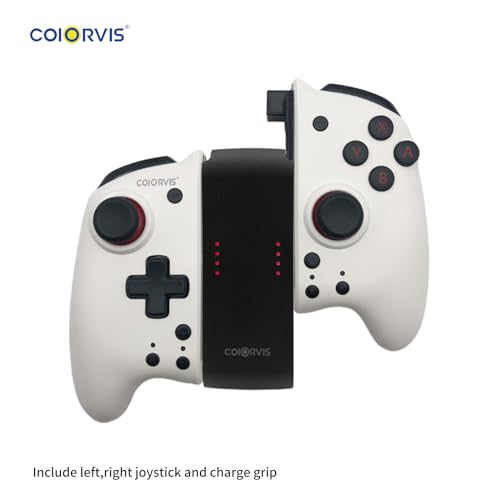
Switch Controllers Joy Pad Controller for Switch/Switch OLED,Wireless Switch Controller with Motion Control/Turbo… [nintendo_switch]…
Product Description
Coiorvis Switch Joycon

Coiorvis switch joycon
Coiorvis Split Joypad has the following Funtions:
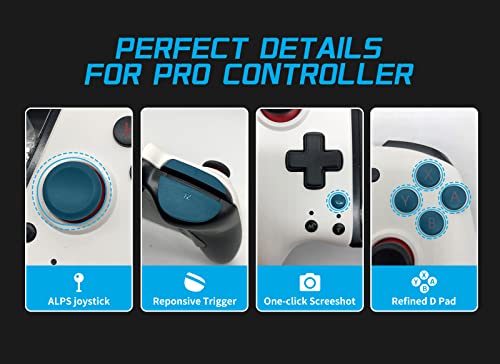
1.ALPS Joystic(Left and Right );
2.Magnetic Top Cover(white and black)’
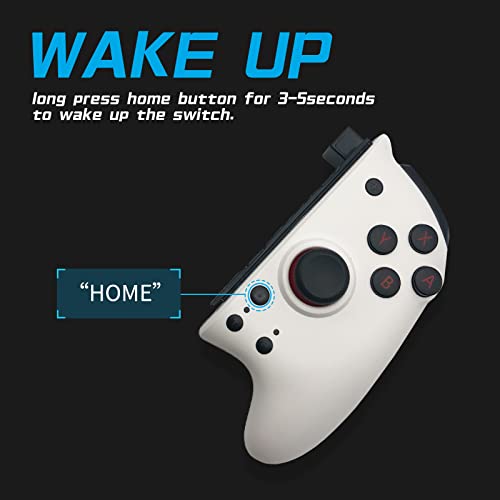
3.One click Wake Up;
4.Dual Motor Shock;
5.Manual and Auto Turbo Function;
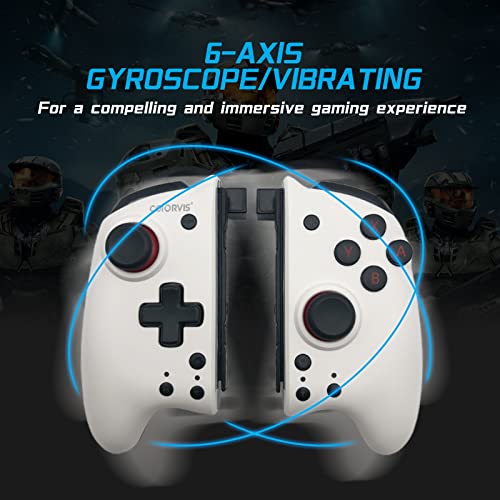
6.Six-axis sense;
7.Ergonomic Desigh,Comfortable Grip;
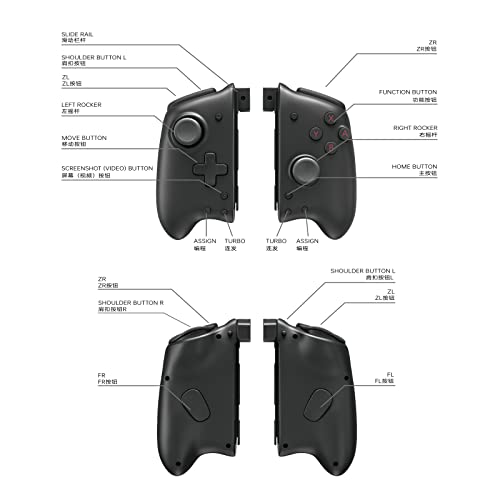
Coiorvis Controller’s Button and Joysticks

Coiorvis Controller’s Button and Joysticks
Turbo Function for Coiorvis Controllers

Turbo Function for Coiorvis Controllers
Turbo Function Setting:
1.The First Time Please Press the Turbo Function button(T)+any action buttons, you can set the specified button to manually Turbo;
(press the action button of setting Turbo,the indicator will flash)
2.Repeat the first step again to set the manual Turbo button to automatic Turbo;
(the indicator will flash continuously)
3.Long Press Turbo button to cancel the Turbo function.
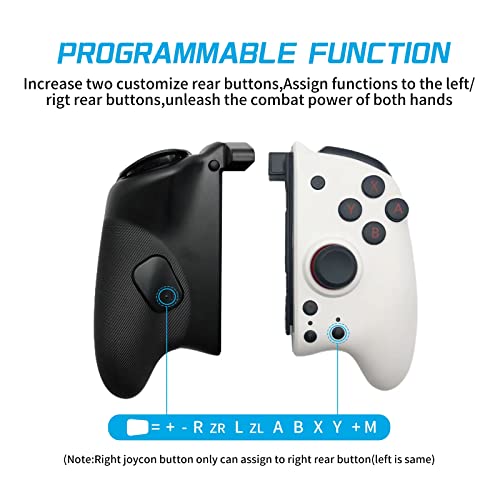
Coiorvis controller macroprogramming function

Coiorvis controller macroprogramming function
Macroprogramming Function:
1.Press “M” button + any action buttons to set the designated button as FL/FR Button;
2.Press “M“ button for 5 seconds to cancel the mapping function.
Coiorvis controller compatible with Switch, iphone/ipad ios16 , notebook steam game

Coiorvis controller compatible with Switch, iphone/ipad ios16 , notebook steam game
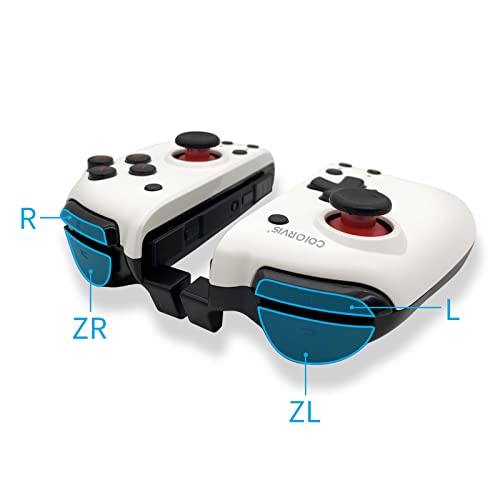
Coiorvis Controller is compatible with Switch ,Switch OLED, iphone /ipad ios16, Notebook for steam games ,
Coiorvis Bluetooth controller

Coiorvis Bluetooth controller
The Layout for Coiorvis Controller

The Layout for Coiorvis Controller
1.Long press Home button to wake up the Switch Console,
2.Adjustable Dual Vibration;
3.Turbo Function and Turbo Speed can be adjusted;
4.Built-in 6-Axis gyro motion controls;
5.Mapping Function;
6;Face cover can be changeable.
$69.90

Price: $69.90
(as of Apr 15, 2024 10:31:39 UTC – Details)

Product Description
Coiorvis Switch Joycon
Coiorvis switch joycon
Coiorvis Split Joypad has the following Funtions:
1.ALPS Joystic(Left and Right );
2.Magnetic Top Cover(white and black)’
3.One click Wake Up;
4.Dual Motor Shock;
5.Manual and Auto Turbo Function;
6.Six-axis sense;
7.Ergonomic Desigh,Comfortable Grip;
Coiorvis Controller’s Button and Joysticks
Coiorvis Controller’s Button and Joysticks
Turbo Function for Coiorvis Controllers
Turbo Function for Coiorvis Controllers
Turbo Function Setting:
1.The First Time Please Press the Turbo Function button(T)+any action buttons, you can set the specified button to manually Turbo;
(press the action button of setting Turbo,the indicator will flash)
2.Repeat the first step again to set the manual Turbo button to automatic Turbo;
(the indicator will flash continuously)
3.Long Press Turbo button to cancel the Turbo function.
Coiorvis controller macroprogramming function
Coiorvis controller macroprogramming function
Macroprogramming Function:
1.Press “M” button + any action buttons to set the designated button as FL/FR Button;
2.Press “M“ button for 5 seconds to cancel the mapping function.
Coiorvis controller compatible with Switch, iphone/ipad ios16 , notebook steam game
Coiorvis controller compatible with Switch, iphone/ipad ios16 , notebook steam game
Coiorvis Controller is compatible with Switch ,Switch OLED, iphone /ipad ios16, Notebook for steam games ,
Coiorvis Bluetooth controller
Coiorvis Bluetooth controller
The Layout for Coiorvis Controller
The Layout for Coiorvis Controller
1.Long press Home button to wake up the Switch Console,
2.Adjustable Dual Vibration;
3.Turbo Function and Turbo Speed can be adjusted;
4.Built-in 6-Axis gyro motion controls;
5.Mapping Function;
6;Face cover can be changeable.
User Reviews
Be the first to review “Switch Controllers Joy Pad Controller for Switch/Switch OLED,Wireless Switch Controller with Motion Control/Turbo… [nintendo_switch]…”
Related Products


$69.90

There are no reviews yet.